Login
Login





 Login
Login



.jpg?width=900&name=Coding-Power-Simplified-BLOG%20(1).jpg)
Every code, every transaction, and every approval decision connects your reporting dreams to a reality. GreenSlate was built to simplify that task—to give accountants more flexibility, fewer workarounds, and better insight from the tools they depend on daily.
Where legacy systems like Cast & Crew and Entertainment Partners rely on multiple, disconnected products, GreenSlate brings everything accountants need into one secure platform. The result? Less time clicking between apps and more time managing budgets, analyzing results, and advising production leaders.

Coding is the foundation of good production accounting and tax incentive tracking. GreenSlate gives accountants a greater number of code types and free fields than any other platform—allowing detailed, nuanced tracking without manual patches or redundant spreadsheets. Every code type, from location and set to episode and incentive designation, can be edited or redefined. That flexibility empowers teams to capture exactly what matters to their project while maintaining the integrity and precision of their financial data.

Automation in GreenSlate isn’t abstract—it’s practical. Tasks like code validation, compliance checks, and reporting updates run in real time, drastically reducing manual entry and approval bottlenecks. Our software also allows for bulk coding edits; making changes is simple and incredibly efficient. Every automation feature is developed in direct response to feedback from the accountants who use the platform every day.
In essence, well-designed coding structures are the foundation that let automation work effectively—connecting transaction-level details directly to large-scale financial oversight, letting production accountants see results instantly and confidently.
GreenSlate’s all-in-one digital workflow means every part of the production accounting process—from purchase orders and timecards to incentive exports—syncs seamlessly. Accountants can view any report, at any time, confident that data is complete, compliant, and current. Built-in dashboards and customizable exports give visibility into budgets, estimated vs. actuals, and state tax incentive data, all without leaving the platform.
GreenSlate continually evolves with the industry, not separately from it. Every tool, coding feature, and automation flow was created with direct input from working accountants, post teams, and production managers who wanted more simplicity and speed without sacrificing accuracy. That collaboration drives innovation that feels practical, powerful, and personal.
GreenSlate’s system is also designed to reduce waste and environmental impact—digital approvals, cloud access, and secure document storage eliminate boxes of paper and courier delays while delivering immediate insights.
See how a smarter coding system and fully digital workflow transform the business of production accounting.
GreenSlate gives production accountants what they’ve long deserved: tools that listen, automation that works, and flexibility that adapts—so you can focus on what really matters: delivering results that make productions run smoother.
What makes GreenSlate’s coding flexibility unique?
GreenSlate offers a greater number of code types and free fields for coding compared to legacy platforms. This means production accountants can track exact details, customize code types, and meet compliance requirements without relying on workarounds or manual data entry.
How does automation benefit production accountants using GreenSlate?
Automation eliminates repetitive data entry and approval bottlenecks by using well-structured coding. This makes reconciliation, compliance, and reporting faster and more accurate, allowing teams to focus on strategic financial management.
Why choose an all-in-one platform for production accounting?
Unlike providers that require separate logins for multiple disconnected apps, GreenSlate centralizes payroll, accounting, and reporting. The all-in-one platform saves time, eliminates double entry, reduces errors, and improves communication across production teams.
Can GreenSlate help with production incentives and tax credit reporting?
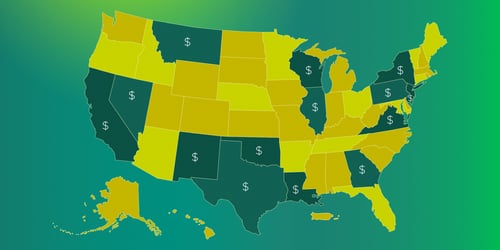
Yes. With coding tied directly to incentive tracking, GreenSlate’s digital platform auto-fills New York and Georgia tax credit forms and generates ready-to-file reports specific to production incentives and tax credits, reducing paperwork and risk. The Incentives Dashboard lets you monitor your incentives in real time—across your company’s entire slate. From opinion to submission, GreenSlate streamlines your workflow and maximizes credits. Explore more: Film Incentives Management.
Is GreenSlate easy to implement for new teams?
GreenSlate’s cloud-based system and responsive customer support make onboarding smooth and accessible for new productions and accounting teams. The platform is designed for fast setup and intuitive use. GreenSlate Pro Training offers guided training and best practices so new users can get up to speed quickly and feel confident using the platform in day-to-day production workflows.
How can I get started with GreenSlate?
You can request a demo, speak to a GreenSlate specialist, or view direct comparisons versus legacy providers by visiting the GreenSlate website or the links above.
Chart of Accounts
The chart of accounts (COA) in GreenSlate is a structured list of all the accounts used to categorize and record financial transactions across a production or business. Each account is assigned a number, name, and type—such as assets, liabilities, equity, income, or expenses—allowing for consistent classification and tracking of financial data. This system acts as the foundation of your general ledger, ensuring every transaction is linked to the correct category for accurate reporting and reconciliation.
Sub Accounts in GreenSlate
Set Codes in GreenSlate

Access our blog for the inside scoop on what’s happening around the production office.
Get the best of the GreenSlate blog once a month in your inbox by signing up for our GreenSlate Newsletter.

“If you're not using GreenSlate for processing production payroll, then you're not thinking clearly. We run about 10–12 productions a year and have used several of their competitors. I've put off sharing this as I've truly felt they've been a competitive advantage.”